It powered on with a black screen. No parts were broken
A laptop arrived at the workshop powering on normally, with its button, charger and fan working, but a completely black screen. The owner had been told it needed a new motherboard or replacement. After two days of diagnostics, it booted into Windows without a single part being replaced.
The problem from the client's perspective
The laptop powers on, which makes the fault confusing: the button lights up, the fan runs and the charger indicator is on. Yet the screen stays black, with no manufacturer logo, Windows screen or error message. Owners often arrive having already been told to replace the motherboard or buy another laptop. A computer powering on without an image can have many causes; they need to be ruled out in order before replacing anything.
Checks before opening the laptop
A torch held at an angle in a dark room showed no faint image. An external HDMI monitor also showed nothing. The original charger supplied its 20 V, and a 60-second residual-power discharge made no difference. The decisive observations were that the firmware boot menu did not appear and the Caps Lock and Num Lock lights did not flash during startup. The laptop was not completing POST, its initial self-test before loading the operating system. The fault occurred before Windows.
Opening the laptop with written authorisation
Our rule is that nothing is opened until the owner knows exactly what will be done. Inside, the laptop was clean, with no liquid, corrosion or burnt components. The RAM module worked in another computer; the laptop was also tested with another module and with none. We then tried a minimal startup without the M.2 drive or Wi-Fi module.
The first sign of life in two days
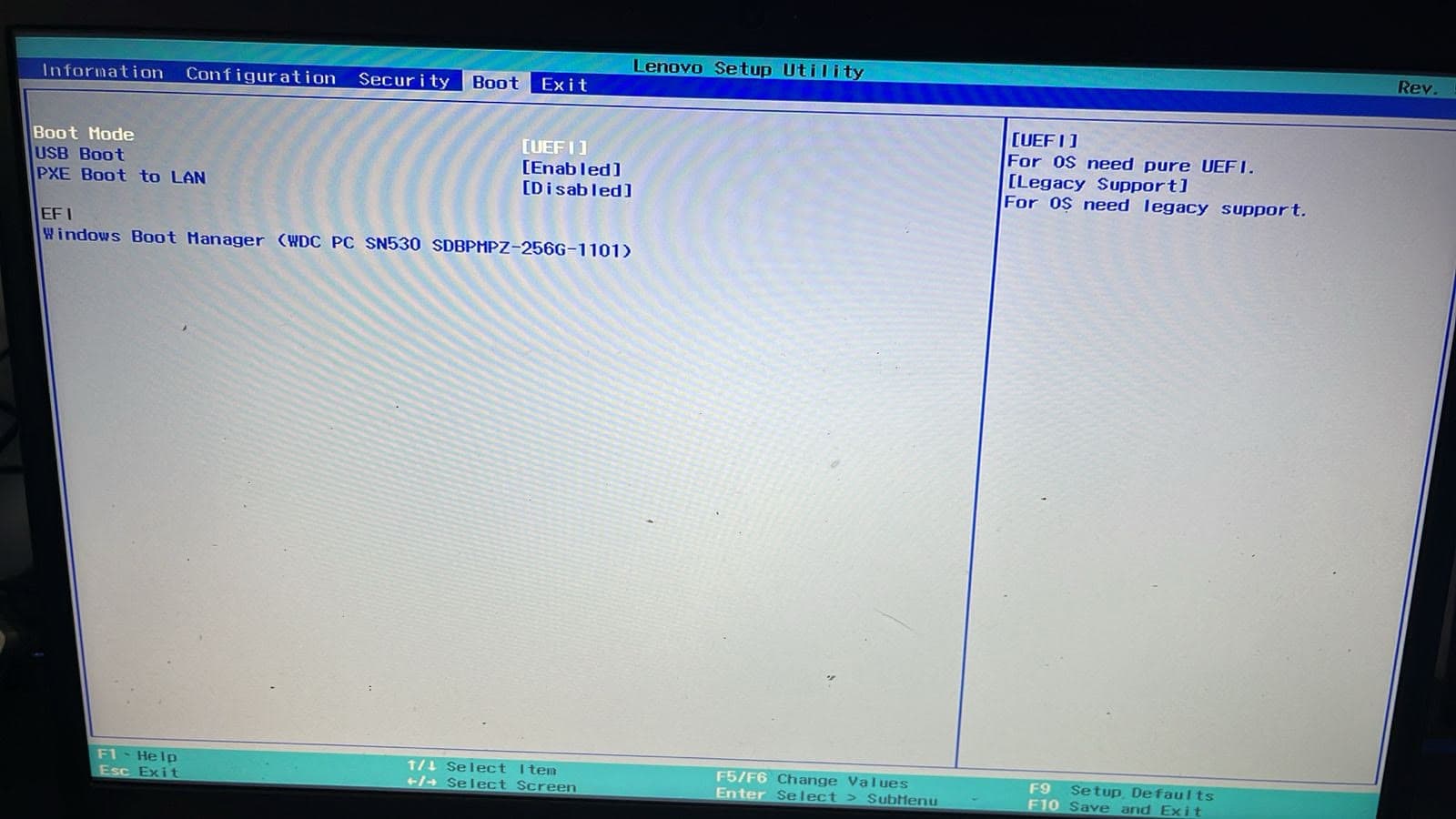
A message finally appeared: ‘Default Boot Device Missing or Boot Failed’. With no drive connected, that was expected. The significant point was that an image appeared at all, showing that the display output, motherboard and firmware were functioning. In the BIOS, the system date read 01/01/2013 on a laptop made in 2022, indicating that its stored configuration had reset or become corrupted.
The cause and repair
Laptops store firmware settings, including startup order, boot source and time, in a small memory on the motherboard. In this case, the settings were corrupted, preventing startup from completing. A controlled reset allowed the firmware to rebuild them: the internal battery and backup cell were disconnected, residual power was discharged and startup was reconfigured. The firmware itself was neither reinstalled nor reprogrammed; its stored settings were cleared.
The result
The laptop now boots normally into Windows. Repeated shutdown and startup tests completed successfully, with Wi-Fi and battery working. No damaged motherboard, memory, drive or screen was found. The fault was in the stored configuration. Replacement parts used: none.
164 unsafe shutdowns: what happened
Before handover, the drive was checked: Good status at 96%, 26 °C, 895 operating hours and 2,201 power cycles. It also recorded 164 unsafe shutdowns, when power is cut rather than the normal shutdown procedure being followed. Examples include an empty battery or holding the power button. Abrupt power loss can interrupt writes. The drive remained healthy; in this case the affected data was the boot configuration.
Three ways to reduce this risk
First, shut down from the Windows menu; holding the power button is a last resort. Second, avoid letting the battery reach 0%, as it helps keep a laptop running during a power cut. Third, use surge protection to reduce the risk from voltage spikes when power returns. These precautions matter particularly when the laptop is used for invoicing, quotes or customer service.
A practical qualification
This is one specific black-screen case: the laptop did not complete POST and showed no logo, firmware menu or keyboard lights. A black screen after a logo appears or after Windows loads is a different situation requiring different checks. Not every laptop can be repaired, but a diagnosis can establish whether repair is possible before replacing it.